Blog
Tags
As a visitor you may not consciously notice it anymore but the familiar “lock” icon in the browser’s address bar is indispensable these days. A secure connection via HTTPS enabled by an SSL certificate has been the standard on the Internet for years. Nevertheless there are still websites that run on the old HTTP protocol. As a website operator you’re taking a big risk by doing so. Google is very clear on this: Websites without an SSL certificate are not only flagged as insecure by the browser

This may have happened to you before: Someone wants to send you an important email but types your name incorrectly. Instead of sending it to info@jouwdomein.nl they send it to ifno@jouwdomein.nl or peter@jouwdomein.nl. Normally the sender receives an error message (bounce) and the message never arrives. With a catch-all email address you can intercept all these misaddressed emails. That sounds like the ideal solution to ensure you never miss a customer or a quote request again. But there’s also
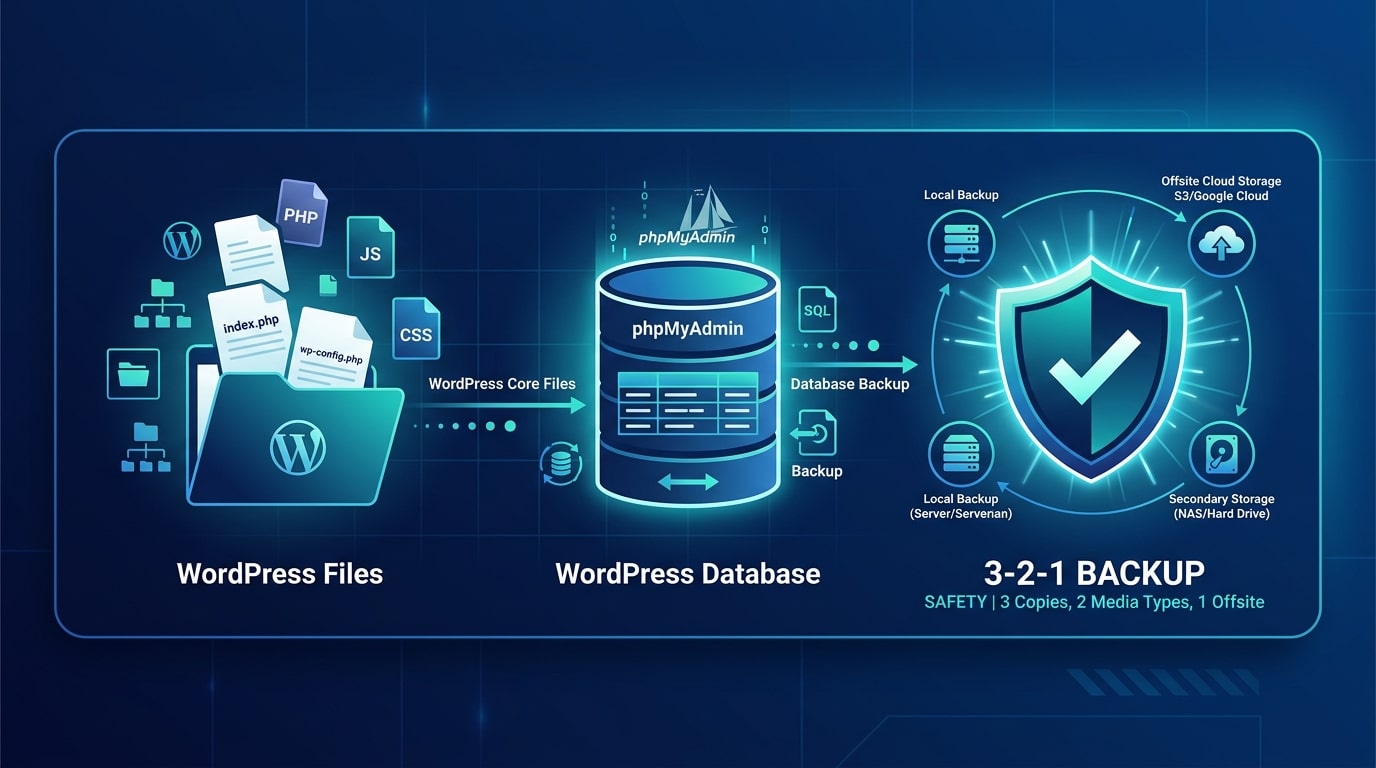
Backups are an important and indispensable part of running a website—after all in the worst-case scenario you’ll want to be able to recover all your work on a website. We recommend that everyone follow these two simple steps to create a backup and store it in multiple locations. Read through the steps below to learn how it works. There are several ways to create a backup for a WordPress website. However we recommend doing this at least once using the method described below. That way even in