Also check out below articles
 19-08-2026
Avoiding Copyright Infringement on Your Website
A professional website stands or falls on the quality of its content. However12-01-2026Google Gemini usage rises while ChatGPT declines
There is fierce competition among AI providers to attract the most users and28-08-2026Embed Google Forms on Your Website
Google Forms is a popular way to create manage and analyze forms. In this04-11-2026Running Cron Jobs on Linux Hosting
Our Linux hosting packages include a range of powerful tools, and the ability to run cron jobs via .sh files can be extremely useful and make your work and maintenance easier. In this blog post, we’ll show you some examples of how to set this up and make the most of it.
Why Combine Shell Scripts (.sh) with Cron Jobs?
As a website administrator, you want to spend as little time as possible on repetitive manual tasks, and often, more can be automated than you realize. Think, for example, of the daily export of your databases or the backup of your website files. Although you can perform many tasks directly through the customer panel, a custom shell script (.sh) combined with a cron job offers ultimate flexibility.
This allows you to automate multiple tasks one after another at exactly the times that suit you, without having to handle them yourself.
What can you use this for?
The combination of shell scripts and cron jobs is highly versatile in Linux hosting. Among other things, you can use it to set up the following processes:
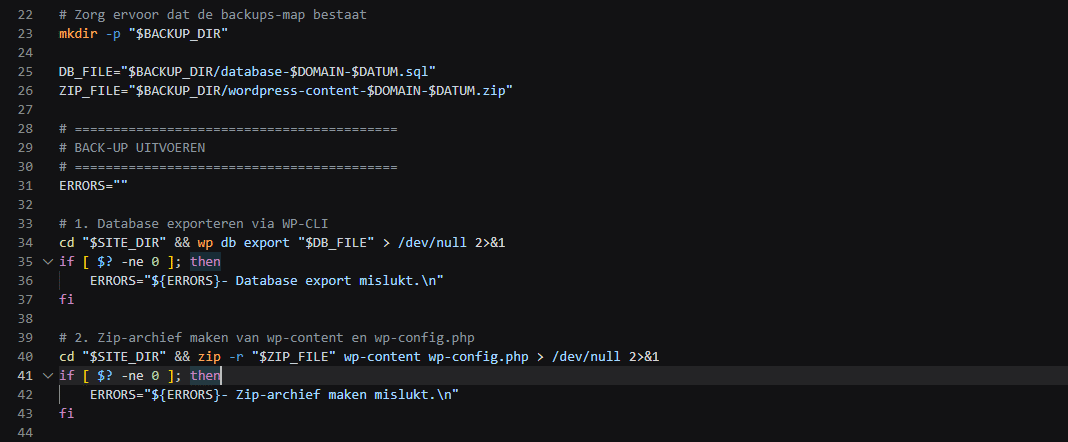
1. Automated backup strategies
Instead of creating manual backups on an ad hoc basis, you can set up fixed routines to back up the state of your website and databases at specified times. By making smart use of background file management, you can ensure that you always have up-to-date restore points available without having to worry about it yourself. Read our latest Knowledge Base article now, which explains how you can easily set this up in your Linux hosting package.
2. Regular Maintenance and Cleanup
Over time, a lot of unnecessary data accumulates on an active website, such as temporary cache files, outdated logs, or redundant database revisions. With an automated script, you can set up regular rules to systematically remove this digital clutter, which helps maintain a clean server environment and ensures optimal performance.
3. Updates and Synchronization
Keeping components up to date and synchronizing folders are typical tasks that benefit from being performed regularly. By having scripts check this in the background, you can stay on top of things. And you ensure that your website remains fast and optimized. Over the years that they’ve been online, many websites have become heavily cluttered, often with a huge number of files that are no longer necessary and may even pose a security risk to your application.
It is therefore strongly recommended that you keep a close eye on this. And actually clean up unnecessary elements—automating this process eliminates the human factor and ensures you have to worry about it less.
Why should you choose this approach?
The use of scripts and cron jobs offers three major advantages for every website administrator:
Efficiency: You no longer waste time on repetitive manual tasks.
Reliability: Tasks are executed down to the second according to a fixed schedule, without requiring human intervention and without the risk of being forgotten or postponed.
Flexibility: You determine the complexity and frequency of the processes yourself, tailored to your individual needs.
Do you have questions about the capabilities of shell scripts or setting up cron jobs in your Linux web hosting package from MijnHostingPartner.nl? Our help desk is available to assist you via the ticket system. You can also use our extensive knowledge base to find answers quickly.