

Categories
How do I create a catch all address?
How do I create a catch all address?
| 1. Log into the control panel and go to Mail --> Domains. |
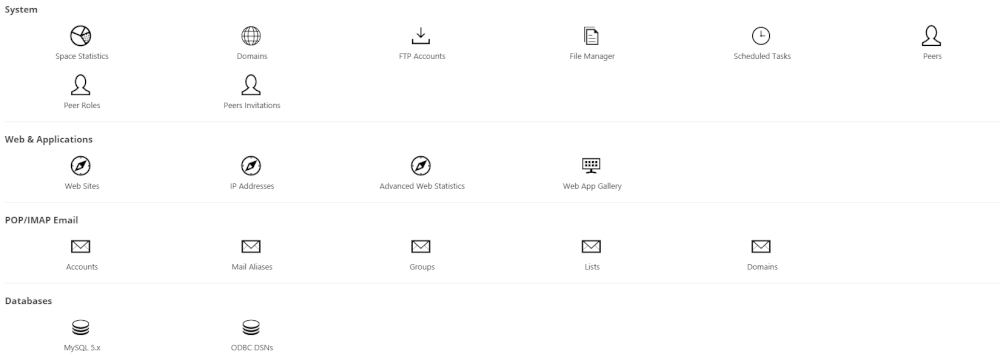 |
| 2. Click on the corresponding domain. |
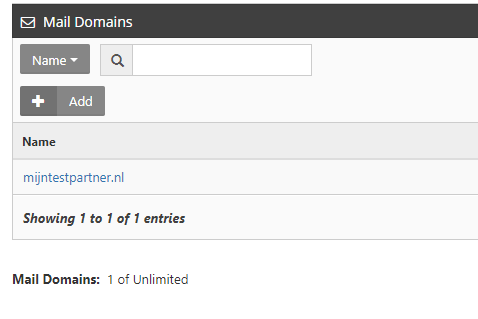 |
| 3. Select an email address that you previously created under Mail --> Accounts and click Update. |
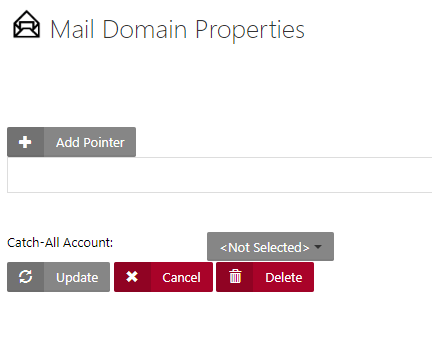 |
How do I create a catch all address?
| 1. Log into the control panel and go to Mail --> Domains. |
 |
| 2. Click on the corresponding domain. |
 |
| 3. Select an email address that you previously created under Mail --> Accounts and click Update. |
 |