
Categories
Create an FTP and SSH Account
This article explains how to create an FTP and/or SSH account to establish a local connection to your Linux hosting package. Please note that the account is created for each application you set up and is therefore subject to corresponding limitations. Additionally, you cannot choose the username and password yourself, as you can with our Windows hosting packages. This is to ensure the security of this data and guarantee that it is always randomly generated.
Step 1. To begin creating the FTP/SSH account, please navigate to the customer portal, log in, and then go to “My Products.” Select your domain name there. Next, navigate to the “Applications” tab and select the appropriate application.
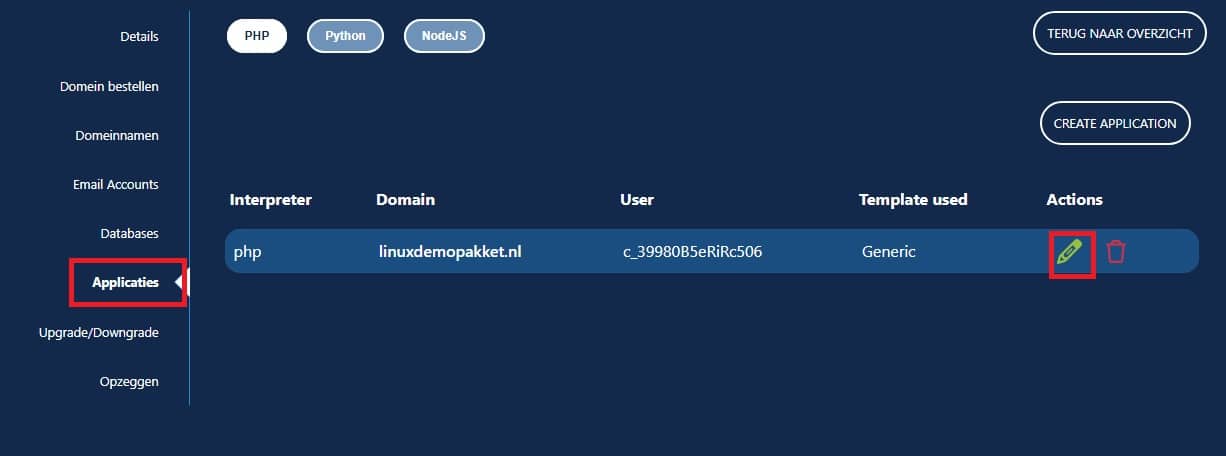
Step 2. You can then select the appropriate application and navigate to the field for creating an FTP account.
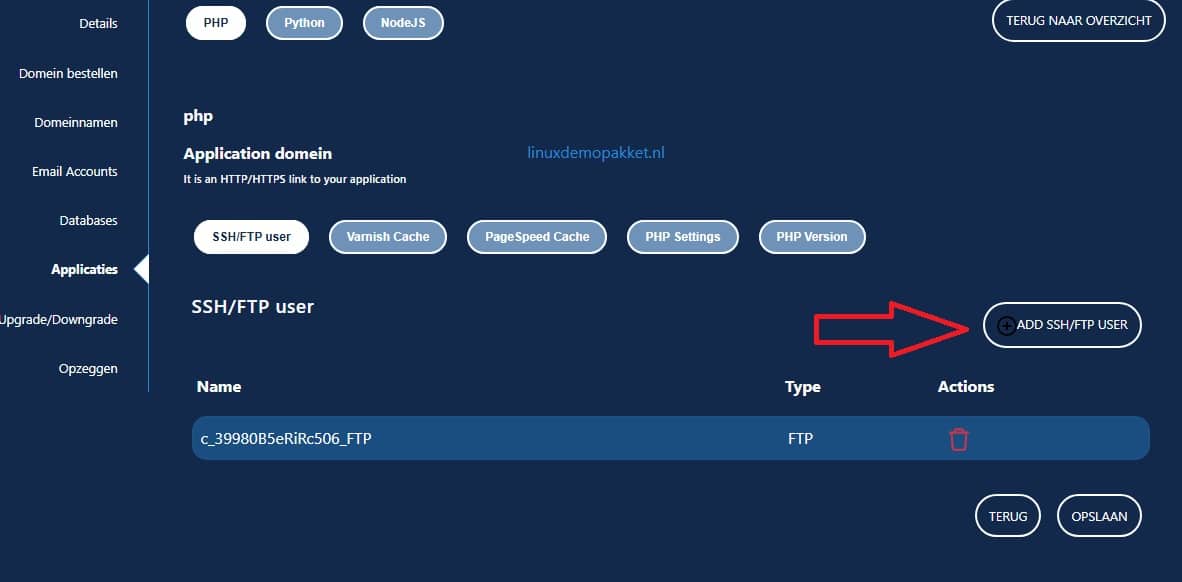
Step 3. You can create both an FTP user and an SSH user. In this article, we’ll create an SSH user.
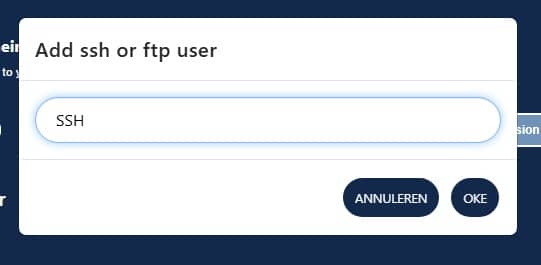
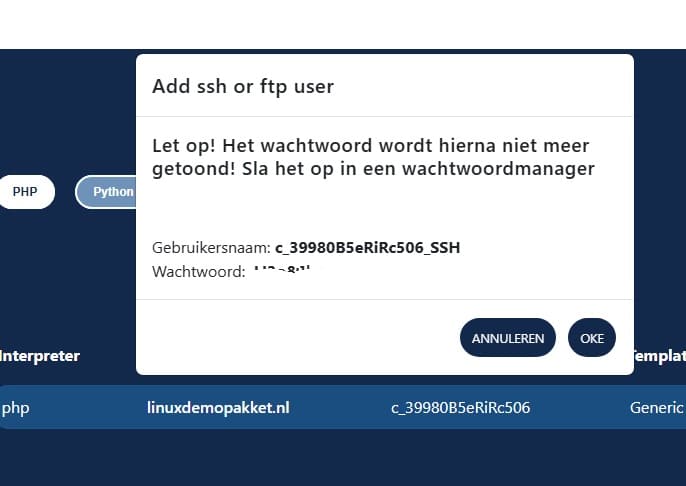
Step 4. You can thenconnect using an FTP or SSH program of your choice; in this example, we’ll use FileZilla.
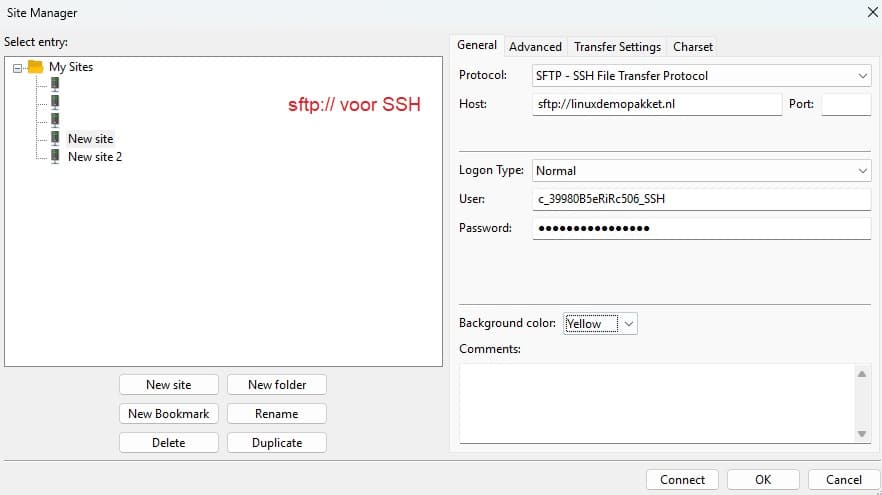
We recommend saving the connection so you don’t have to search for the login credentials every time. Be sure to give it a descriptive name so you can find it quickly. This is especially handy if you manage multiple websites.
Step 5. To establishthe connection, you’ll need the login credentials you just created; enter them as described above.
“User” is the username.
“Password” is the password displayed.
For SSH, “Host” always has the prefix: sftp:// followed by your regular domain name. Or your A-record IP address. You can find this under “My Domains.” This is useful if, for example, you haven’t transferred the domain name yet but want to store the files with us.
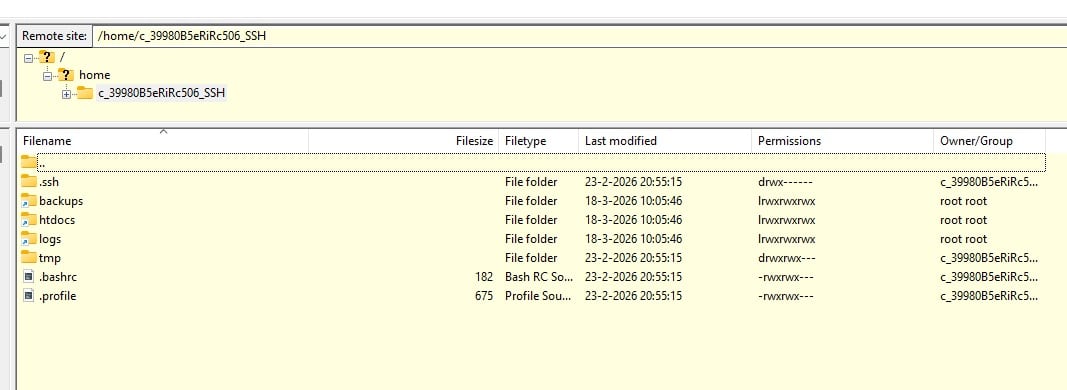
Step 6. You can then establish the connection by clicking “Connect.” After that, you can start working and upload your website files to the folder
htdocs/domainname.nl/
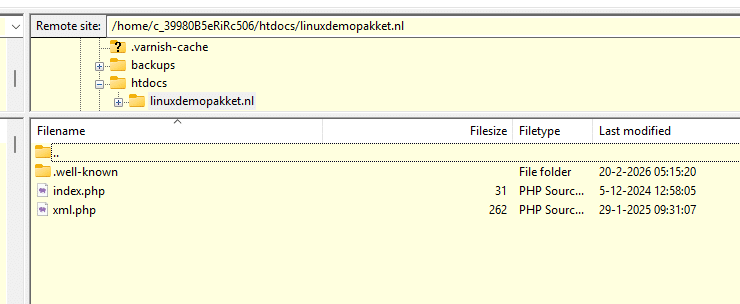
If you’re still unable to establish a connection, or if you have any questions, you can create a ticket in the customer portal. Be sure to include screenshots if necessary—this will often allow us to help you quickly.