 05-06-2026
Set up an out-of-office message (vacation notification)
That time of year is fast approaching again: vacation season! For many startups and companies, the summer months are a bit quieter; vacations are planned and trunks are packed. But don’t forget to set up an out-of-office message in your email so you don’t lose potential new business contacts. Or so that one particular customer doesn’t get frustrated right away.
Let’s take a look at how you can set up an out-of-office message exactly the way you want it—either through our webmail or directly via the customer portal. And what else you should keep in mind to avoid frustration!
Reasons for an out-of-office message
There are a number of important reasons why an out-of-office message makes sense. Namely the following:
Maintaining new business relationships: You prevent potential new customers or leads from slipping through the cracks because they think you’re ignoring them.
Avoiding customer frustration: Existing customers know immediately where they stand and aren’t frustrated by a lack of response.
Managing expectations: You immediately provide the sender with clarity on when they can expect a response (or who they can contact in the meantime). Always be a bit more generous in your response, as your work pace is often a bit slower after returning from vacation.
Professional image: It shows that you proactively think along with your business partners and have your communication well under control, even while you’re enjoying your time off.
Let’s take a look at how you can easily set up this out-of-office message in our service according to your preferences and what else you should keep in mind to avoid frustrating your business partners!
Set up an out-of-office message
With us, you can set up the out-of-office message via the customer portal or directly through webmail. We’ve compiled the steps for you in the following articles:
https://www.mijnhostingpartner.nl/client/knowledgebase/e-mail/algemene-mail-informatie/out-of-office-melding-instellen/
The “Basic” article explains the procedure via the customer portal, while the “Advanced” article shows the location in Webmail. This can be done in just a few steps. The notification is sent to your contacts and includes the following lines:
With the settings mentioned above, the automatic reply is sent to anyone who emails you directly. Newsletters, mailing lists, forwarded emails, or aliases that you receive will not get an automatic reply. Additionally, the automatic reply is sent only once per day to each recipient. This means there won’t be a flood of automatic replies.
If you’d like to test this, please use an external email address. This does not apply if you send something to yourself.
Looking Beyond the Inbox: Communication on Your Website and Social Media
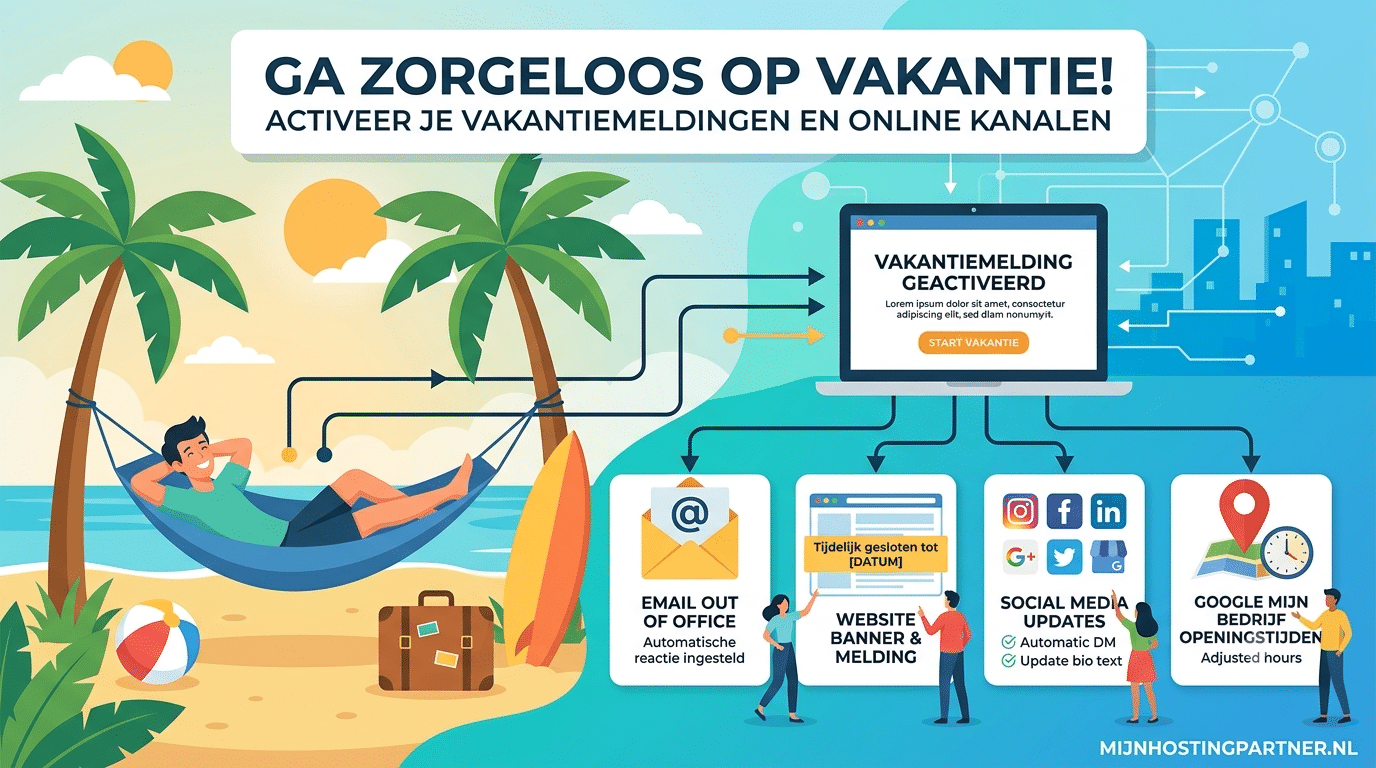
An out-of-office message is essential, but these days, (potential) customers look for ways to contact you in many more places. To truly avoid radio silence and frustration, it’s advisable to also communicate your vacation period through these three key channels:
• The contact page (and your business hours): This is the first place people turn to when they have a question. Temporarily adjust the text on your contact page. Clearly state which days you will be away. Is your response time usually within 24 hours? Then indicate that it may now take a few days, for example, or provide a contact number for urgent matters if you have one.
• A notification banner on your website: Do you have an online store or offer services through your website? Place a discreet but clear notification bar at the top of your homepage. This way, visitors will see right away when they visit the page that processing orders or quotes may take a little longer during the holiday season. This prevents impatient emails later on.
• Social Media & Automatic DM Replies: Customers aren’t shy about sending a message via Instagram, Facebook, or LinkedIn. Post a brief message about your company’s holiday closure or temporarily update your bio. Even more important: Set up an automatic reply for your direct messages (DMs). Just like with your out-of-office message, anyone who sends you a chat message will immediately receive a notification that you’re currently soaking up the sun.
Also, don’t forget Google My Business! Do you have a physical location or a local business? Then be sure to update your business hours on Google as well. Nothing is more frustrating for a customer than standing in front of a locked door because the regular opening hours were still listed as “open.” This always leads to a string of 1-star reviews if you forget.
Are you unexpectedly having trouble navigating the panel? Don’t worry! Our helpdesk is available as usual during the summer via live chat and the ticket system to assist you quickly. On behalf of the entire team at MijnHostingPartner.nl: We wish you a fantastic and well-deserved vacation!