 12-10-2026
Open-Source Alternative to Photoshop
Anyone who manages a website has edited a photo at some point, and this is a skill that is inextricably linked to running a website. Unedited images are unnecessarily large, cause display issues, and slow down your website’s loading time.
Furthermore, most content management systems, such as WordPress, save multiple edited versions of the same photo you upload. This leads to unnecessary use of storage space if you edit the images directly on the website. That’s why it’s a good idea to edit images locally on your computer before using them on the web.
Until now, however, there have been only a limited number of (helpful) options for this, so you might be tempted to look for a paid solution like Adobe Photoshop. But that comes with high monthly costs, which, as an aspiring entrepreneur, you’d surely prefer to invest elsewhere.
This is where PhotoCraft comes in—a new way to replace Photoshop with a free, open-source alternative. Let’s take a look at its capabilities and how the program is being actively developed in collaboration with Claude AI.
Artcraft
Open-source alternatives remain popular because they don’t tie you to a specific “ecosystem” and offer far more freedom than closed-source solutions. This trend affects every level of the internet and software in general. And as a web hosting provider, we’re right in the middle of it all. We’re strong advocates of open-source solutions over closed-source ones.
Not only does this often help you avoid high costs, but with the right choice, you also get a robust solution. Foundations like MariaDB, WordPress, and Artcraft’s features let you go wherever you want. And you can view and edit the code at any time. If you opt for a closed-source solution, such as a website builder like Wix, you’ll have to start from scratch as soon as you switch to another provider.
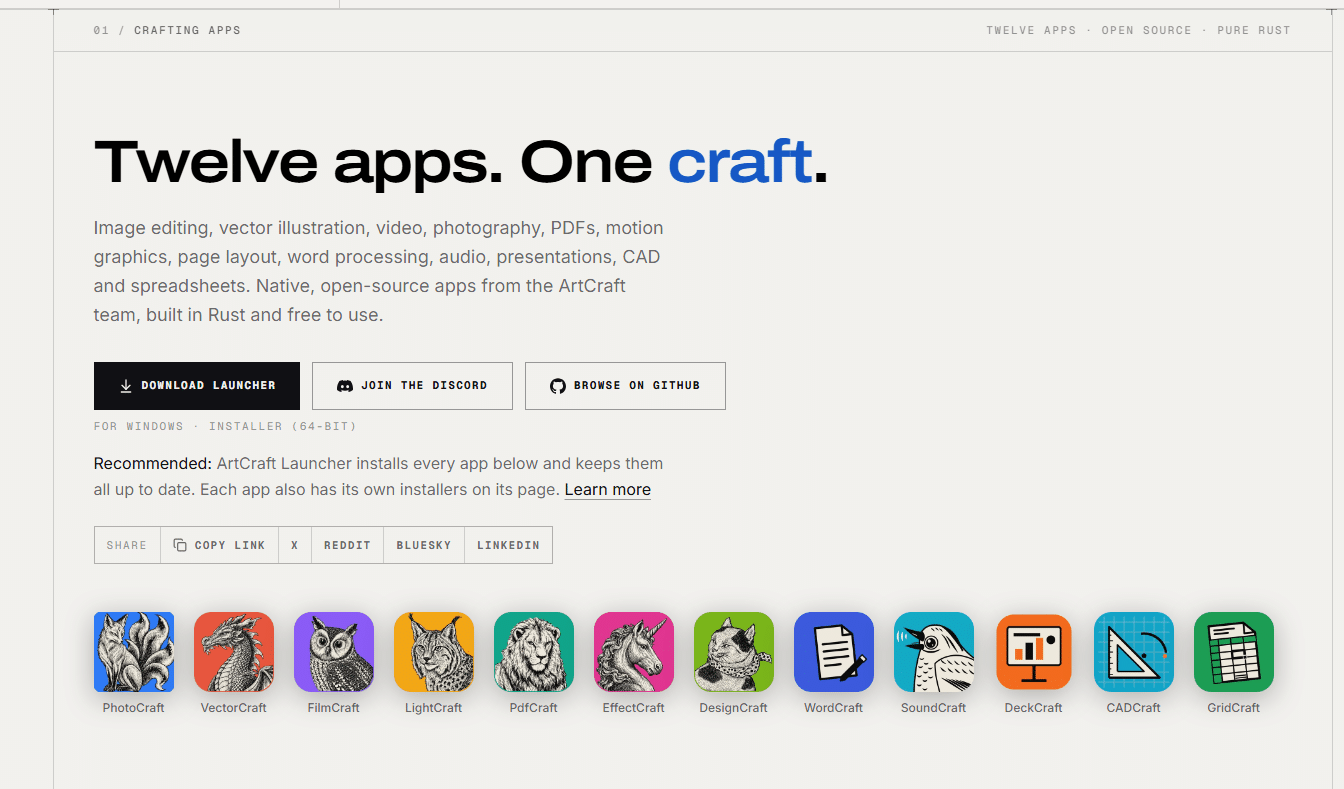
Artcraft has a very ambitious vision, and a total of 12 apps are currently in development—some of which are already in the alpha stage—to give you the freedom of choice. There are already programs that challenge many of the traditional monopolies held by big tech companies. We recommend taking a look at the projects that are currently available for download and testing.
All are available through a single launcher or can be downloaded individually, so you can get exactly what you need instead of having to install all the apps at once.
It’s an ambitious project, and the main question is whether there’s still significant demand for it. Users are increasingly turning to web-based or cloud solutions for this type of software. But there will still be a large group of users who prefer to use it locally on their own systems—and find it faster that way. This is also due to the freedom it offers, since you don’t necessarily have to create an account. Time will tell how many users this project attracts.
Features of PhotoCraft
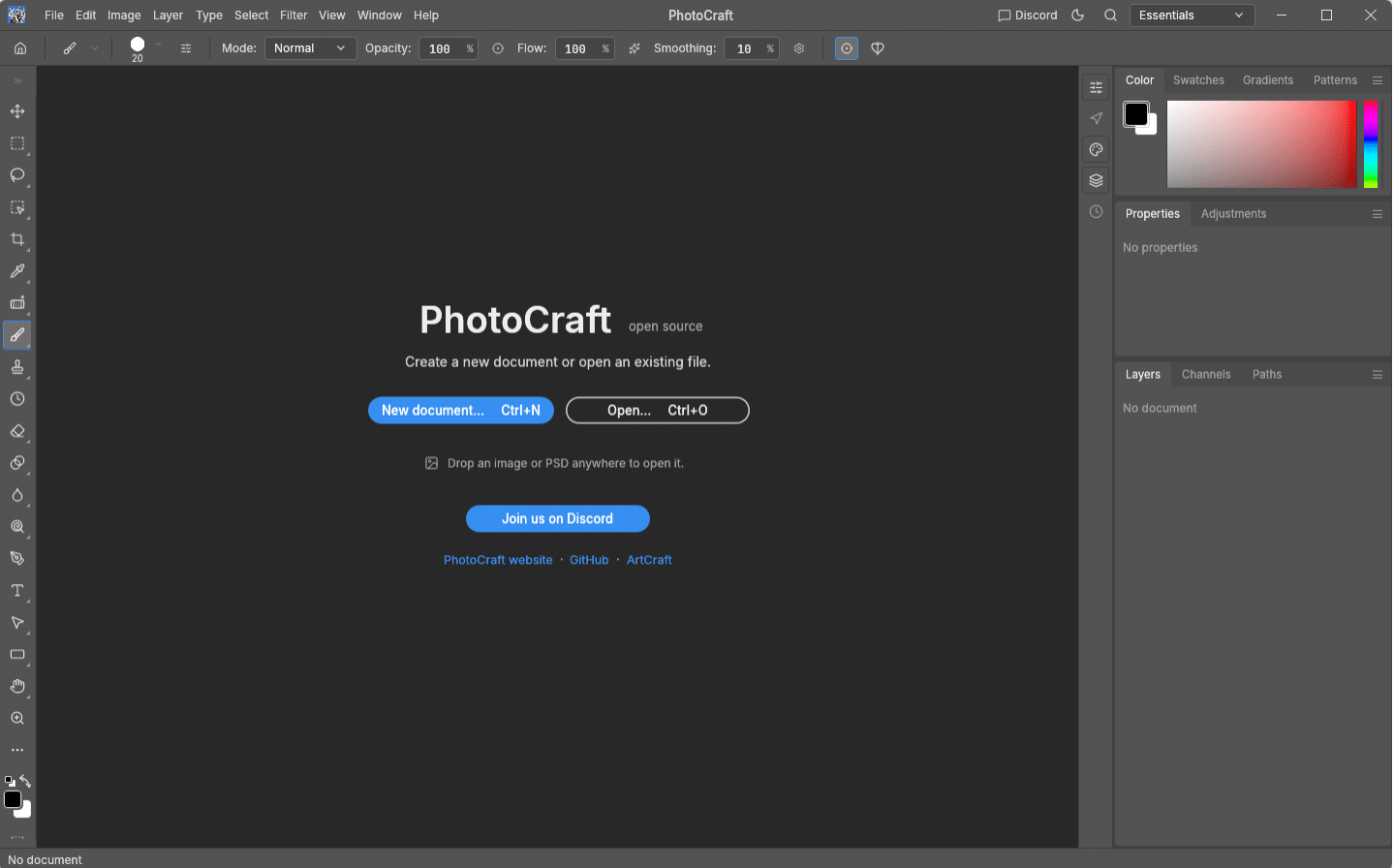
PhotoCraft was conceived as a full-fledged open-source alternative to Adobe Photoshop and specifically developed to offer professionals and website operators the powerful features they’re already familiar with—but without the burdensome subscription costs or closed ecosystems.
Under the hood, the program was developed entirely from scratch in pure Rust, ensuring lightning-fast performance on your local system without the overhead of slow web wrappers. As a result, PhotoCraft is very resource-efficient for your computer and can be used entirely offline.
What exactly can you expect from PhotoCraft?
Full layer support: Works just like Photoshop with layers, masks, adjustment layers, and layer styles for ultimate creative control.
Native PSD support: You can open and save Photoshop files (PSD and PSB), preserving your layers and structure. Tests even show virtually error-free exchange of complex files.
Advanced color management: Support not only for standard RGB, but also for CMYK, Lab, grayscale, 8-bit/16-bit/32-bit documents, ICC color management, and soft proofing.
Modern hardware acceleration: Intelligently leverages modern graphics technologies such as Metal, Vulkan, DirectX 12, and WebGPU during rendering.
Familiar workflows: The user interface and keyboard shortcuts are designed so that, as a former Photoshop user, you can get started right away without having to navigate a steep learning curve.
Developed in collaboration with Claude AI
What also sets PhotoCraft apart is the way it was created. The project was actively developed in collaboration with Claude AI. By using advanced AI agents for complex code implementations, we were able to create a robust, clean, and compatible build in a short amount of time. As a result, you benefit from modern software development that is continuously optimized.
Whether you want to quickly compress and crop product photos for your online store or create complex compositions: With PhotoCraft, you get the power of Photoshop on your local computer—with the full freedom of open source.
Curious? You can download PhotoCraft directly as a standalone app or try it out via the central Artcraft Launcher.
Do you have more subscriptions for your business than you’d like? Then take a look at Artcraft’s services—maybe you can cancel an expensive license and put that money to better use elsewhere.