Also check out below articles
 10-07-2026
DuckDuckGo Browser and AI: Smarter Online Work with More Control
At MijnHostingPartner.nl we believe it’s important not only that you’re04-09-2026How do you build a successful plant blog?
From rare Monstera varieties to entire rows of Swiss cheese plants Pileas22-06-2026Is it possible to develop your own WordPress theme?
An experiment I’ve been working on for several weeks now involved using AI to program my own WordPress theme. There are a variety of options and tools available for this, which lead to very different results. After a lot of trial and error, we succeeded, and we saw for ourselves that it’s possible. And it can certainly be an option for freelancers or bloggers who’d love to have something unique for their own website but don’t have the budget to invest in it.
Let’s take a look at all the tips and tricks we learned during this experiment and how you can do it yourself.
The Pros and Cons
Is this the solution everyone should switch to right away? No, not in our opinion.
The entire process has a few pitfalls, and you should keep a few (important!) points in mind.
Security
The security of the WordPress theme you want to customize with Vibecode is a top priority—as it should be with any WordPress theme. The WordPress core is reviewed and developed by thousands of programmers. Plugins and themes, however, are often developed by small teams whose success varies.
With a theme you’ve created yourself using Vibecode, it’s your responsibility to verify that it’s safe to use. And if you do go live with it on your website, it’s advisable to create regular backups. That way, if something goes wrong, you’ll quickly have a fully functional website again. Also, be sure to explicitly instruct the AI you choose on what steps and improvements can still be made to enhance the theme’s security.
Update Process
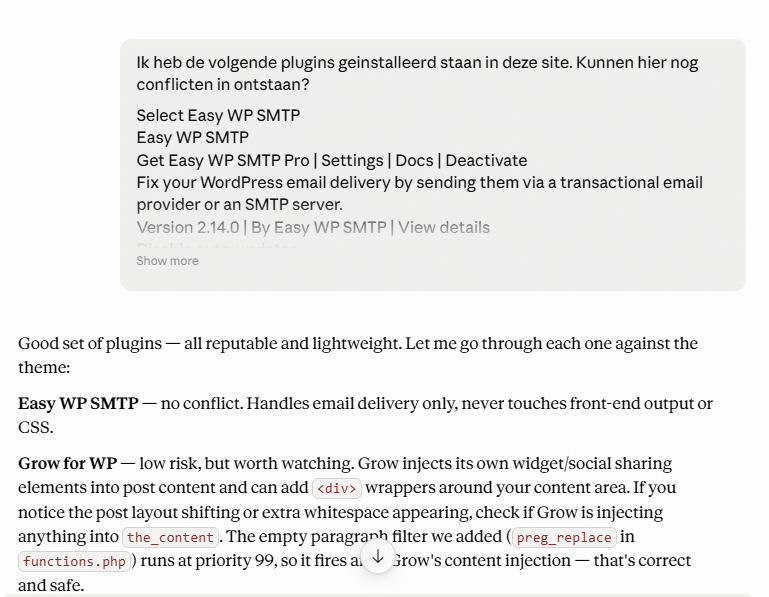
Since you now have some control over the theme yourself, you’re also responsible for the update process. Code is constantly evolving, which is why regular maintenance is necessary. Consider, for example, errors that only occur once a PHP version is updated. Or the possibility that a browser or feature update could “break” your website. And, of course, WordPress itself is updated, and some plugins must also remain compatible with one another.
So you’ll need to check everything from time to time—at least every six months, for example—to make sure this theme still meets the latest standards and security requirements. The simpler and more minimalist you keep the theme, the better equipped you’ll be to handle major changes.
In what scenarios might this be useful?
It’s not a great idea to set up a complex online store using Vibe codes right away. Aside from the associated security concerns, you’ll also want to have an emergency support hotline available in case something goes wrong. You won’t have that if you’re managing it yourself.
However, it may be well-suited for the following use cases:
As a freelancer who wants to create a portfolio website—a portfolio that’s completely tailored to your own needs. And thus a better fit than, for example, a starter template or a ready-made third-party theme.
As a writer or author—an online presence where you showcase your latest works and encourage people to buy your books.
As a blogger—blogs remain a popular creative medium for many, and here you can share everything related to your hobby or passion. With a custom design for your website.
As an online business card for your company or startup—be sure to include who you are, where you’re based, what you offer, and so on.
In most cases, this will take a little more time than using a pre-made theme like Astra, which we’ve covered in detail in the past. But in the end, you’ll have designed everything exactly the way you want it. And you won’t have to rely on a paid theme to take full advantage of all the possibilities.
Which AI tools can you use for this?
There are a wide variety of providers you can turn to, and you’ve surely already found your own favorites. In these early years of AI, which is where we are right now, numerous tools have already hit the market. We recommend sticking with the major providers so you can be (somewhat) more confident that the AI will still be available to you a year from now. This includes, for example:
ChatGPT
Claude
Gemini
Create a separate project for your “Vibecode” theme and make sure to pin it to your taskbar. In most cases, you’ll need to return to it frequently to fix any errors or address any questions. We tested all three options but ultimately chose the local version of Claude to successfully complete the project.
In my opinion, Claude also handles specific questions and requirements better and has no problem consistently delivering a complete ZIP file—something the other options sometimes still struggle with. Claude has also placed an emphasis on programming in its overall vision. And therefore often better suits our needs.
If you’d rather use a different tool, you’re of course free to do so; Lovable, for example, is also popular, but we haven’t tested it yet.
Designing the WordPress Theme
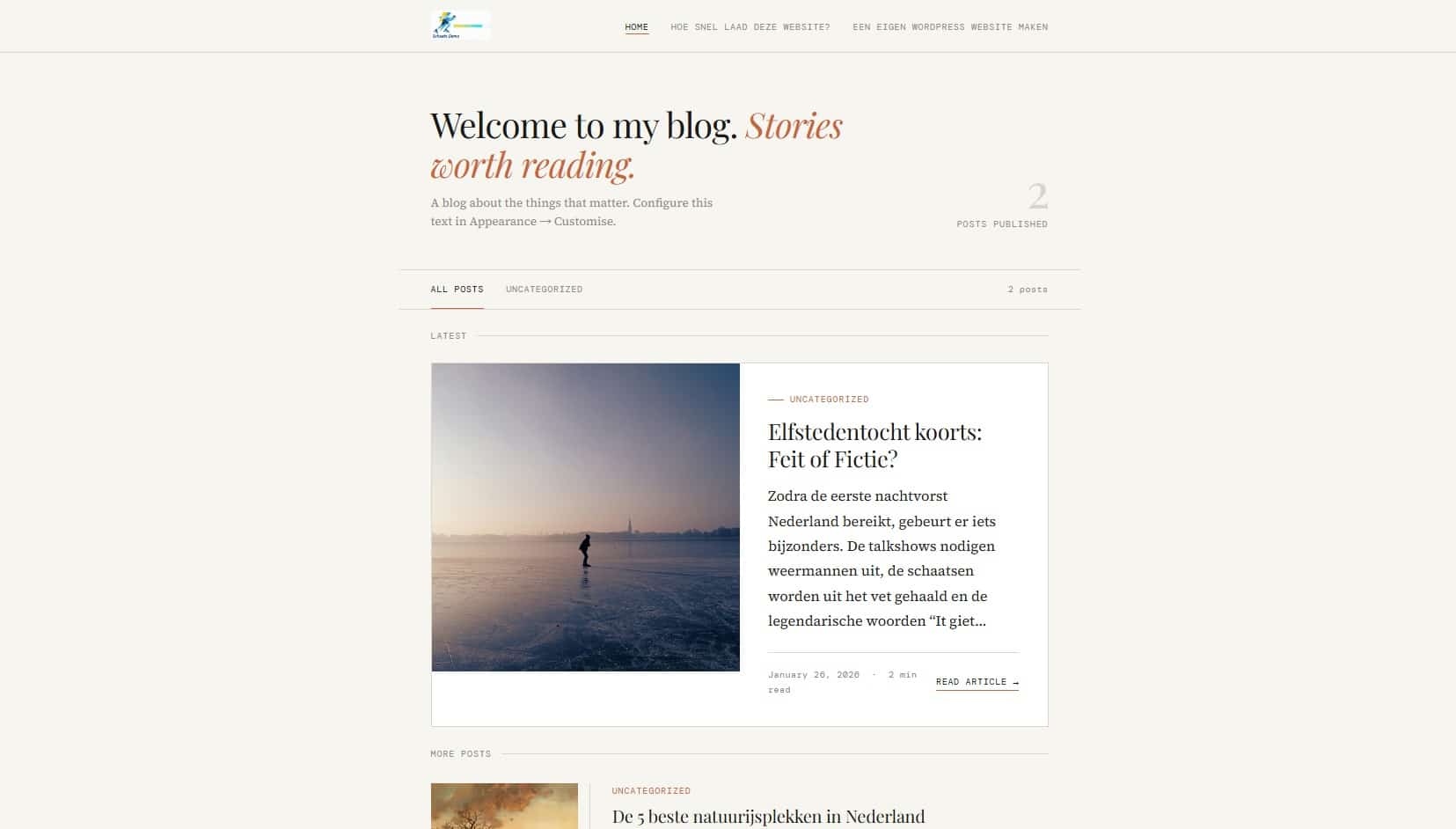
To take a look at the sample theme we’ve been working on: https://schaats.mijnwordpressdemo.nl/
Before you generate code, it’s a good idea to open a text editor and enter the entire first prompt there. To give an example of an initial prompt:
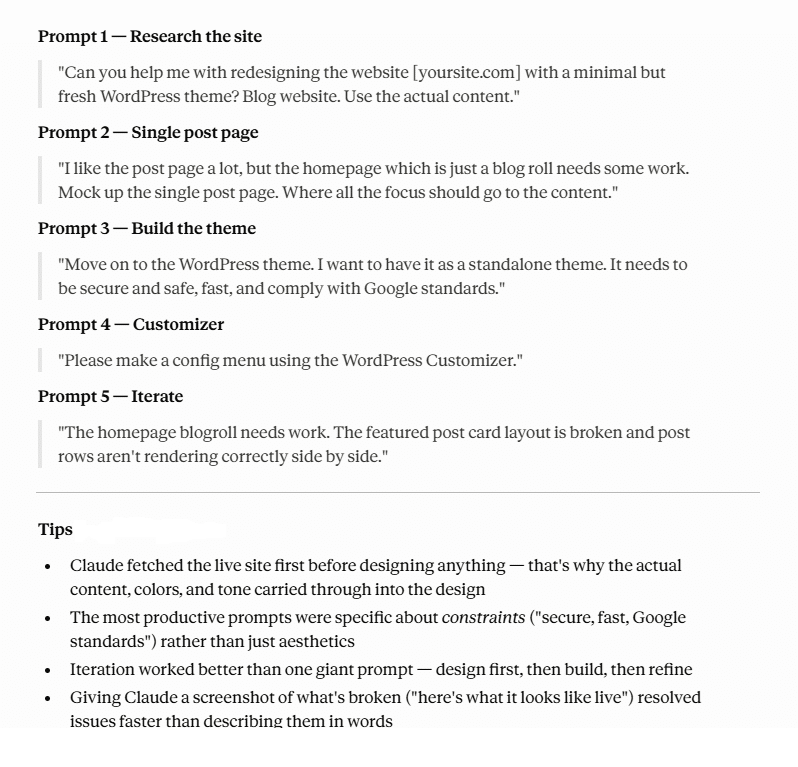
Think about the look you want—for example, a focus on content readability, a nice carousel for your images, or a focus on your services in an appealing one-page layout. Your color palette, the overall look, content you’ve already created, etc.
-> What’s important to you?
Then start with the first prompt, where you specify all of this, and ask for a draft based on it. An image will then be generated to show you the direction it’s heading in. You can quickly see what works well and what you’d like to change, and discuss this with the AI (that’s the whole idea behind “Vibecoden”). Also take a look at the image above, which was automatically generated after “Vibecoding” the topic, and see how you can use this yourself.
One change I specifically wanted to make was to use the WordPress Customizer instead of the new Block Editor. That’s just my personal preference. This is also an example of a major advantage: you’re no longer limited.
We hope this blog post inspires you, and if you’ve ever toyed with the idea, we encourage you to definitely give it a try. Don’t go live with it on your production website right away. Instead, create a copy of your WordPress website on a subdomain, for example, so you can experiment to your heart’s content. Subdomains are very easy to create with MijnHostingPartner.nl’s Linux web hosting —give it a try right now!